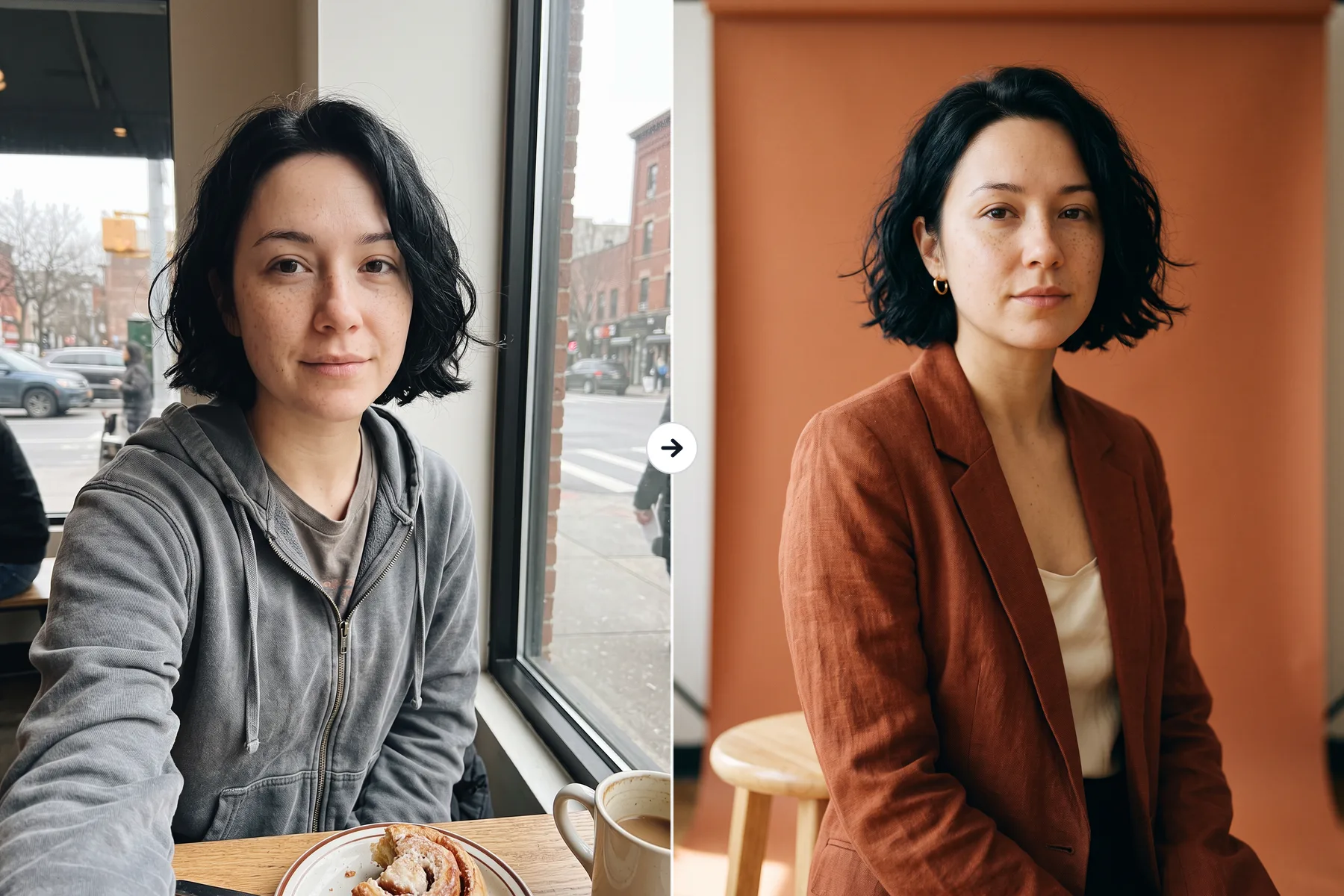
Portraits That Look Real
Turn a selfie into a studio headshot, a travel photo, or a styled portrait. Skin, hair, and light look natural, and the face stays yours.
Create and edit images with one prompt. More lifelike results, crisp text, and up to 4K output.
Please enter a description
Select a mode, upload an image, or enter a description on the left, and let AI create amazing visual works for you
What got better in 2.1, and what it keeps from Nano Banana 2.
Light, skin, fabric, and reflections look closer to a real photo. Product shots and portraits need less retouching.
Headlines, labels, and small print come out spelled right and easy to read. Posters, menus, and diagrams hold their layout.
From 1:1 and 9:16 to 21:9, plus long 4:1, 8:1, 1:4, and 1:8 strips for banners and tall layouts.
Combine up to 14 images in one prompt. Keep up to 4 characters and 10 objects consistent across a whole set.
Upload a photo and say what to change. Swap a background, change an outfit, or fix a detail without opening an editor.
Draft fast at 1K, then render the final at 2K or 4K for print, product pages, and large screens.
Work that used to take a reshoot or an hour in an editor.
Turn a selfie into a studio headshot, a travel photo, or a styled portrait. Skin, hair, and light look natural, and the face stays yours.
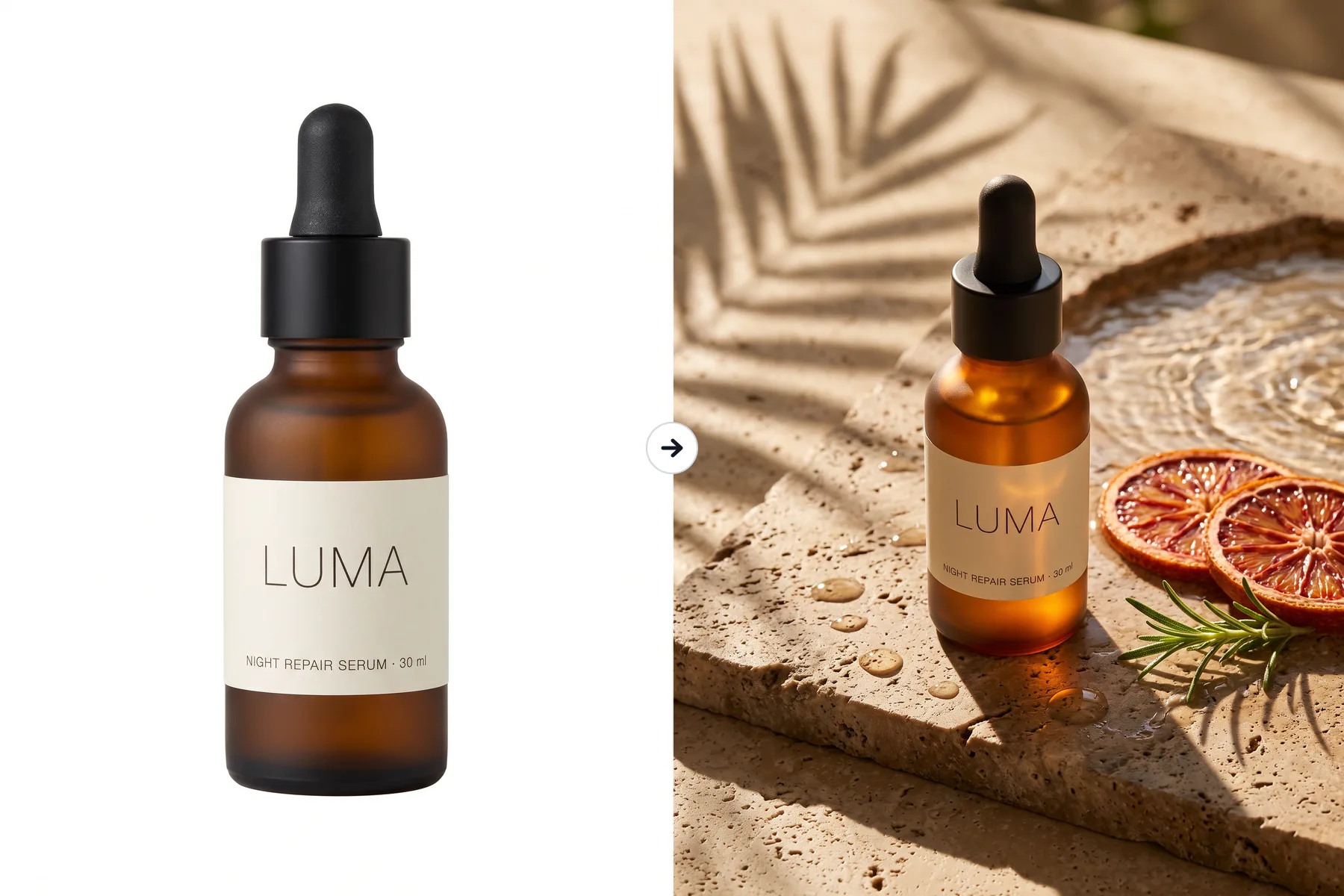
Upload one product shot and place it on a clean white background, a lifestyle scene, or a holiday set. Labels and logos stay sharp and readable.
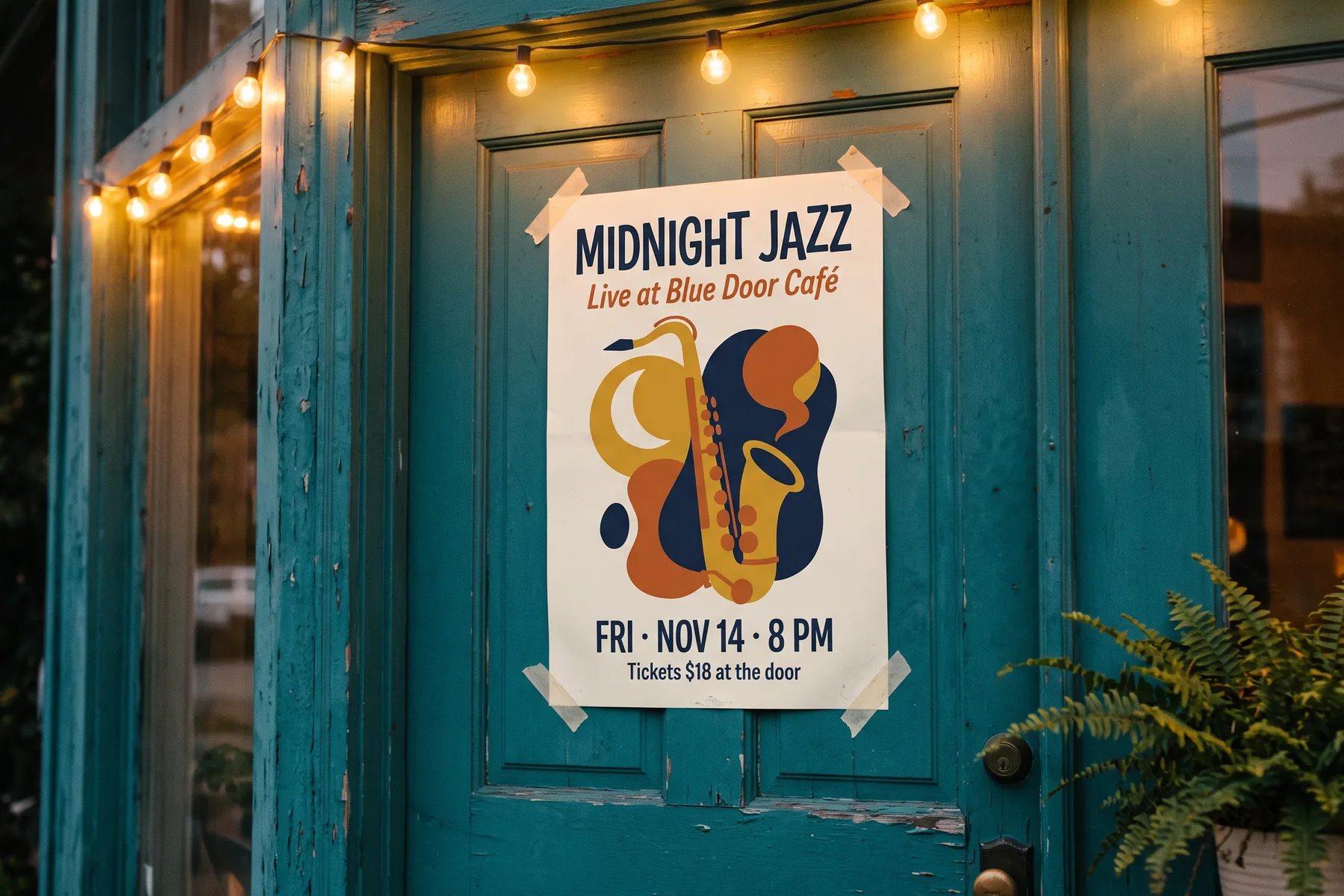
Put the headline, date, and price in your prompt and get a poster, menu, or cover with every word spelled right and laid out cleanly.
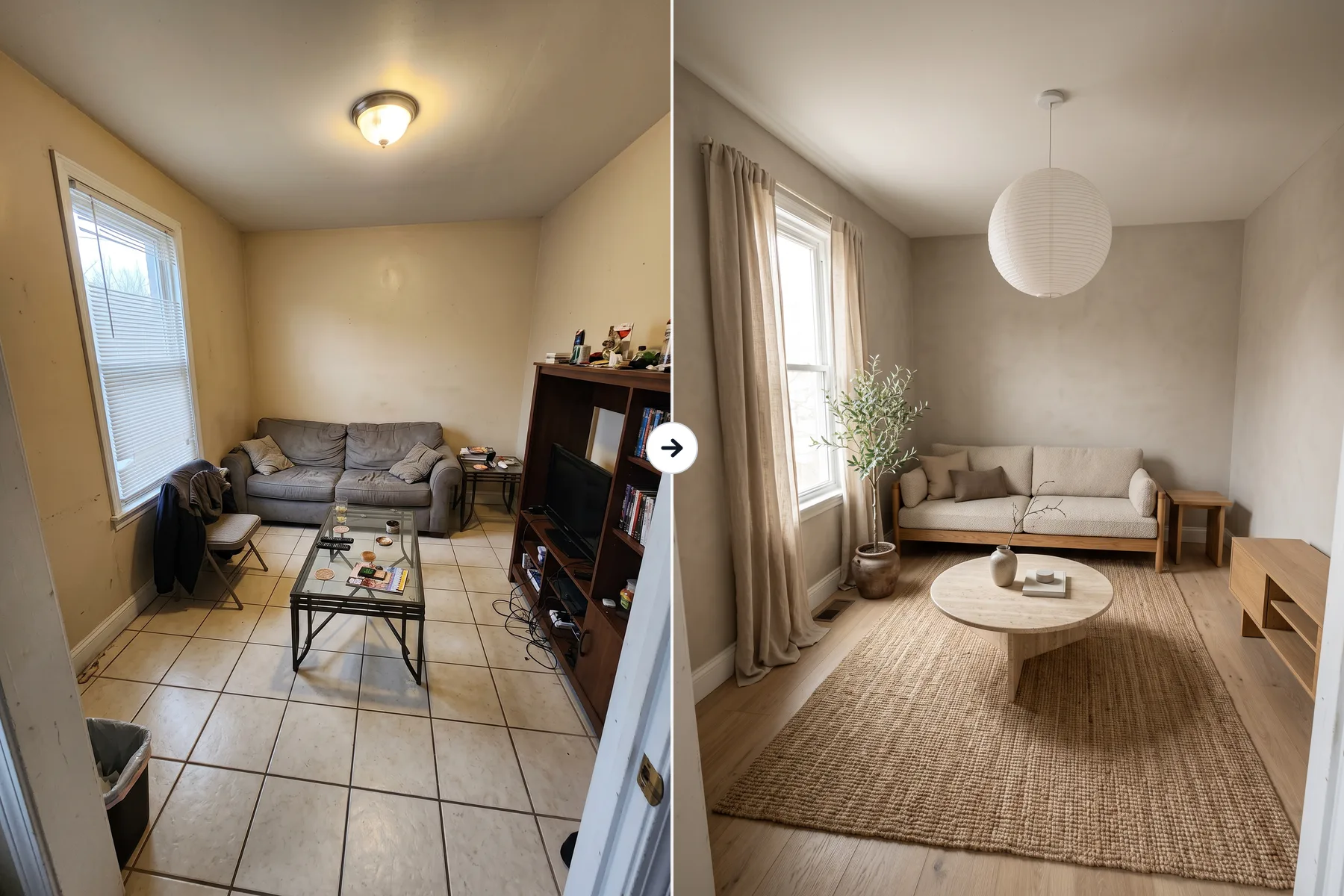
Upload a photo of your room and try new styles, furniture, or colors before you buy anything. Walls, windows, and layout stay where they are.
What improved in 2.1, and what stayed the same.
| Capability | Nano Banana 2 | Nano Banana 2.1 |
|---|---|---|
| Realism | High quality | More natural light, skin, and materials |
| Text in images | Accurate in most cases | Cleaner type, better infographic layouts |
| Credits (1K / 2K / 4K) | 8 / 12 / 18 | 5 / 8 / 15, lower at every size |
| Reference images | Up to 14 | Up to 14 |
| Resolution | 1K / 2K / 4K | 1K / 2K / 4K |
| Aspect ratios | 1:8 to 8:1 | 1:8 to 8:1 |
| Commercial use | Allowed | Allowed |
From a prompt to a finished image in three steps.
Pick text to image or upload photos to edit, then describe the scene, style, and any text you want in the image.
Choose an aspect ratio, from 1:8 to 8:1, and a resolution of 1K, 2K, or 4K.
Your image is ready in seconds. Preview it, edit again with a new prompt, or download it in one click.
Common questions about quality, cost, and what 2.1 can do.
Nano Banana 2.1 is the newest version of Nano Banana 2, released in October 2026. It keeps the same speed and features while improving realism and text rendering.
Images look more realistic, and text in posters, labels, and diagrams comes out cleaner. Reference images, resolutions, and aspect ratios stay the same.
Yes. Write the exact words in your prompt, ideally in quotes, and they appear in the image spelled correctly. It works well for posters, labels, menus, and infographics.
Up to 14 in one generation. Nano Banana 2.1 can keep up to 4 characters and 10 objects consistent, which helps with product sets and character series.
All the common ones, from 1:1 and 4:5 to 16:9 and 21:9, plus long strips at 1:4, 4:1, 1:8, and 8:1. Leave it on Auto and the model picks a framing that fits your prompt.
You can pick 1K, 2K, or 4K. 1K is good for drafts and social posts, while 2K and 4K suit print, product pages, and large displays.
5 credits at 1K, 8 at 2K, and 15 at 4K. If a generation fails, the credits go back to your balance automatically.
Yes. Images you generate are yours to use in commercial projects, including ads, online stores, and social content.
Yes. Sign up and you get 20 credits right away, no credit card required. That covers four 1K images or two 2K images.
Type a prompt or upload reference images and get your first image in seconds. Sign up for 20 free credits, no credit card needed.