GPT Image 2 AI Image Generator

Legible text in any language, consistent characters across scenes, complex compositions executed precisely. This is what separates GPT Image 2 from other AI image generators.

0/5000

What Makes GPT Image 2 Different

A measurable step forward in text rendering, realism, instruction-following, and image editing.

Readable Text, No Garbled Characters

Price tags, UI mockups, and multilingual posters come out correctly in English, Chinese, Japanese, Korean, and more. Text stays legible on curved surfaces and in perspective — the scrambled letters common in earlier models are largely gone.

Image-to-Image, Consistent Characters

Upload up to 16 reference images and transform them with a prompt. In multi-panel comics and sequential art, GPT Image 2 keeps face, clothing, and proportions consistent from rough storyboard to finished illustration.

Photorealistic, Ready for Commercial Use

Natural lighting, accurate textures, and correctly rendered brand logos and packaging copy. Output holds up in ads, e-commerce listings, and client work without heavy post-processing.

Complex Prompts, Precisely Executed

A built-in reasoning step plans the composition before generating — maps, diagrams, dashboards, and icon grids match your description. Supports 11 aspect ratios from 1:1 to 21:9 for social, e-commerce, and print.

What People Actually Use GPT Image 2 For

Video storyboards, multilingual posters, product shots, brand assets — all generated directly with GPT Image 2.

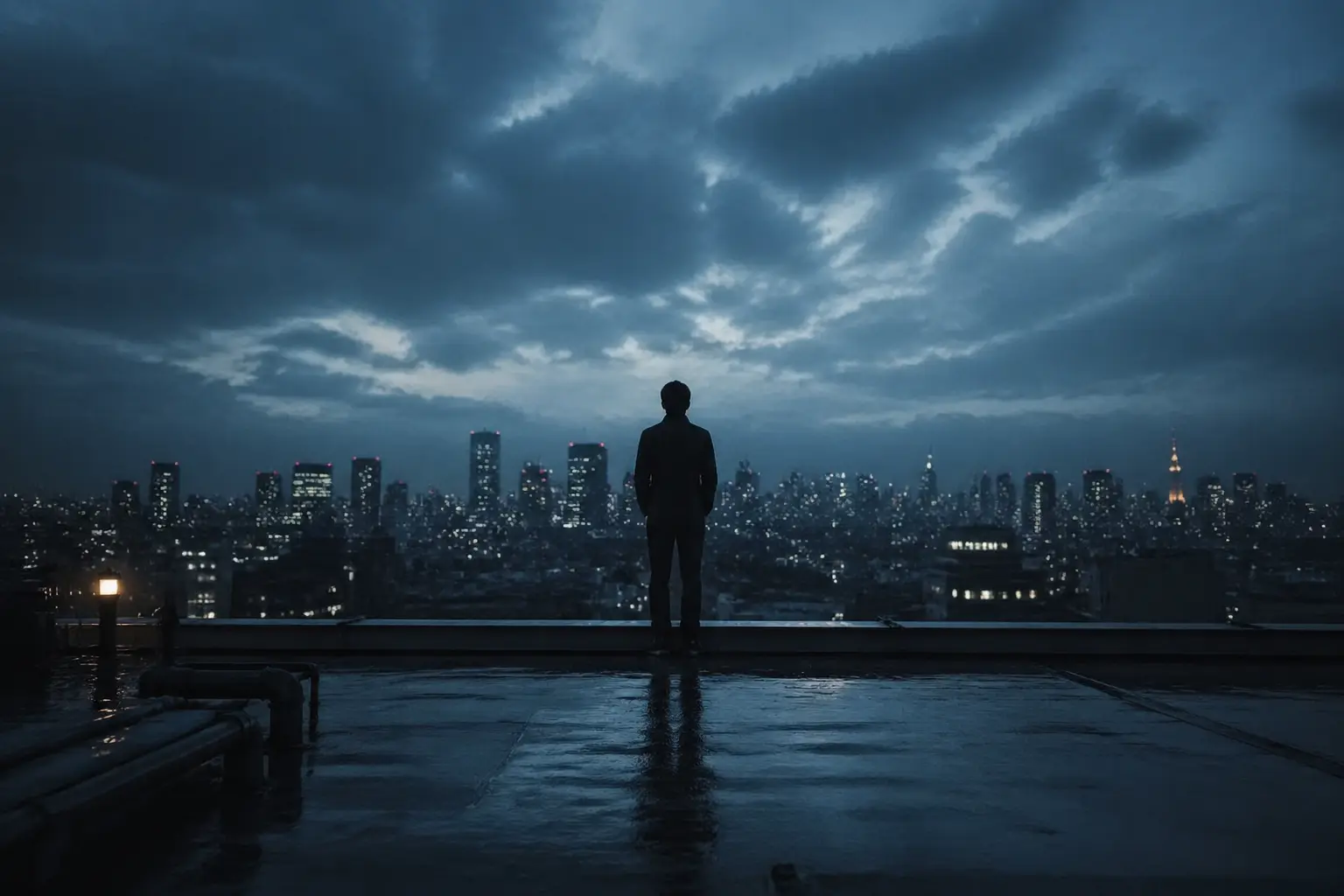
Video Storyboards: Generate the Frame, Then Generate the Video

Video Storyboards: Generate the Frame, Then Generate the Video

Describe the shot — scene, composition, camera angle, lighting. GPT Image 2 follows the brief precisely and generates a reference frame, ready to send to an AI video tool. Faster from concept to timeline.
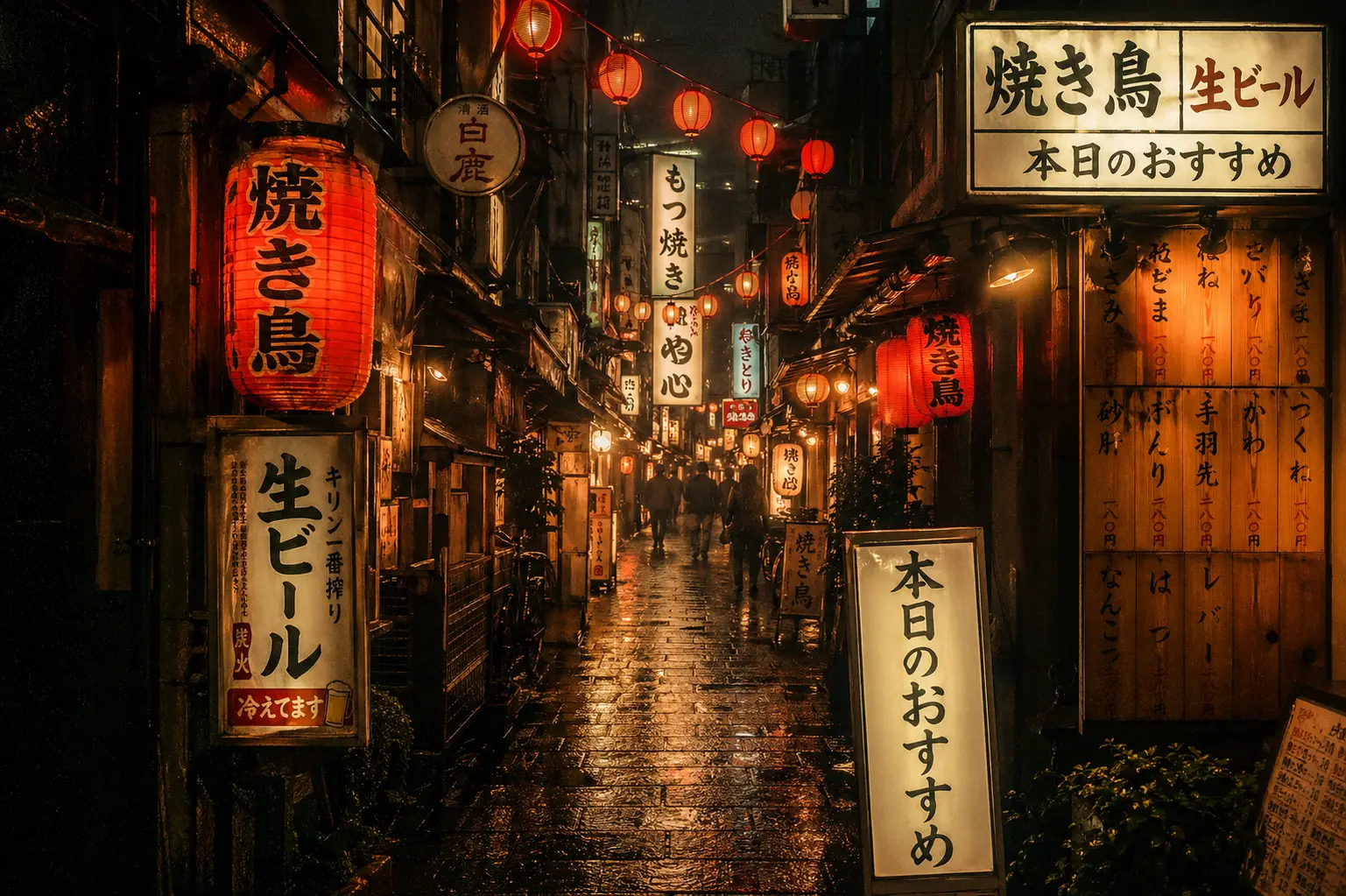
Text in Images: Any Language, No Garbled Characters

Text in Images: Any Language, No Garbled Characters

Generate posters, signage, menus, or UI mockups with text in any language — Japanese, Korean, Arabic, or others. Characters come out accurate and readable, no fixing needed. This is where GPT Image 2 pulls clearly ahead of other models.

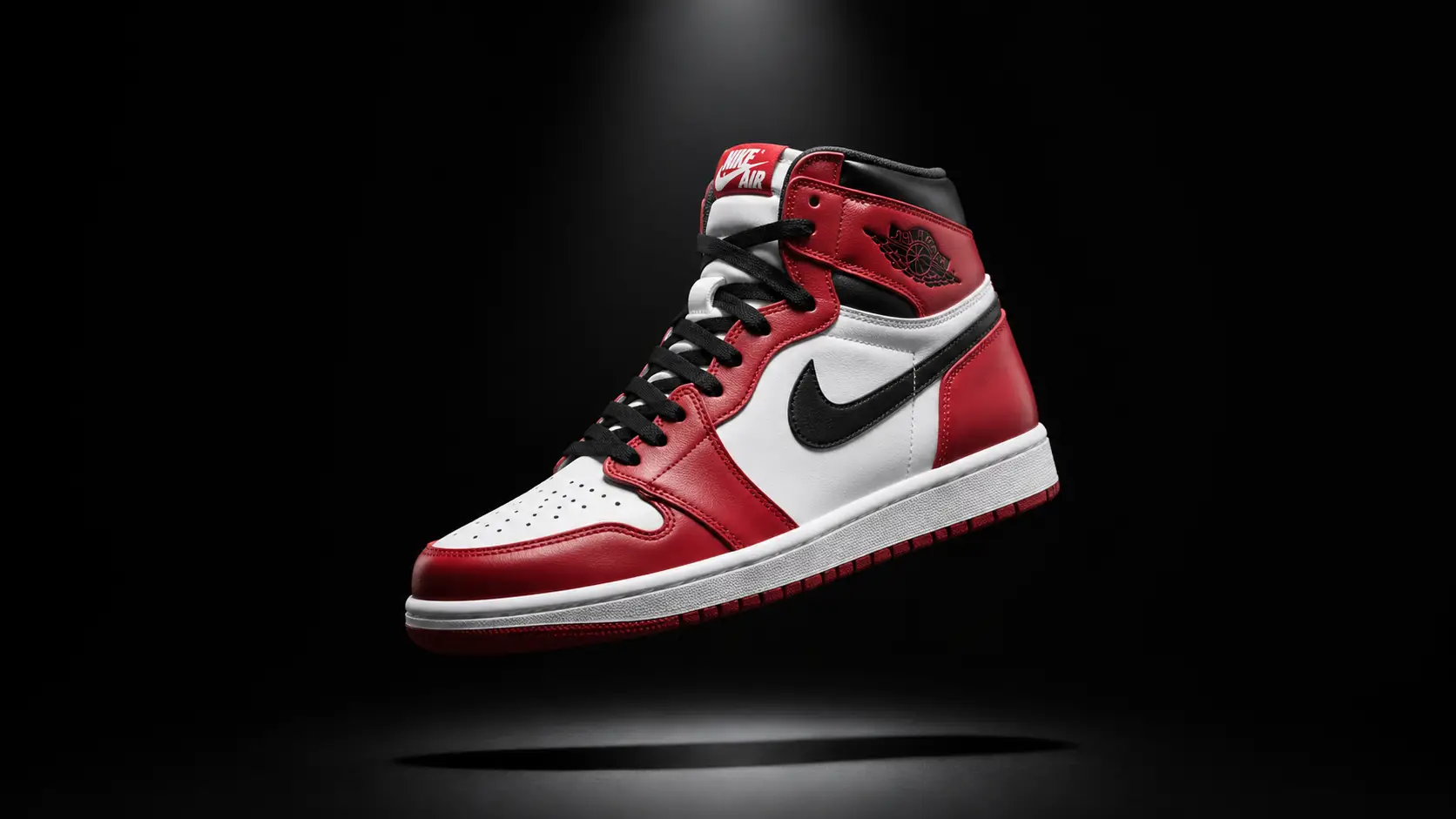
Brand Packaging: Logo and Copy, Correctly Rendered

Brand Packaging: Logo and Copy, Correctly Rendered

Describe the brand name, product details, and packaging style — GPT Image 2 generates a complete mockup with accurate text and colors. Good for quick concept proofing and client sign-off, no designer required.

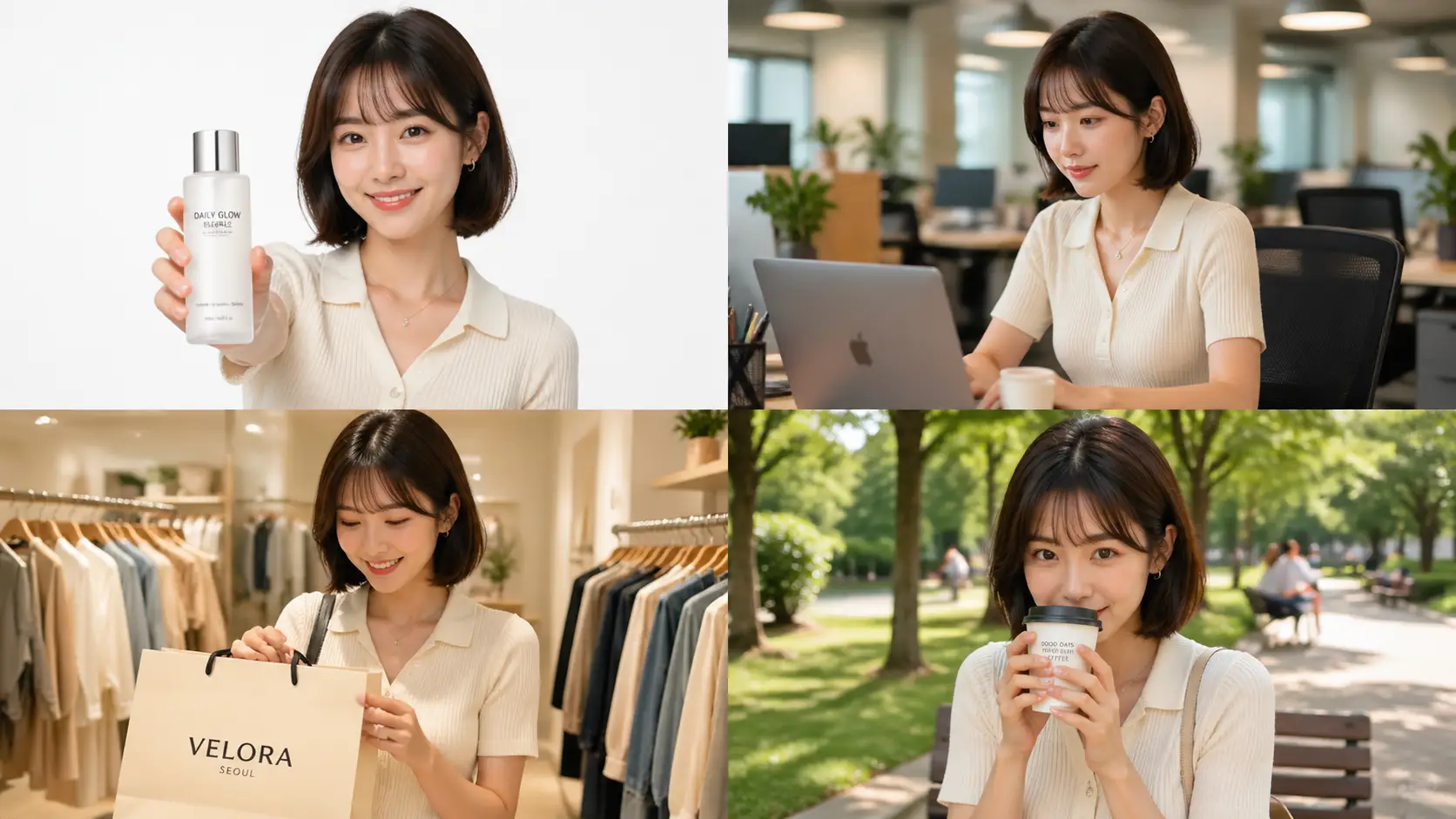
Brand Assets: Same Character, Multiple Scenes

Brand Assets: Same Character, Multiple Scenes

One brand character across different commercial scenarios — face, outfit, and proportions stay consistent. Good for e-commerce image sets, brand mascots, and marketing campaigns without re-aligning the look each time.

How to Use GPT Image 2

Three steps: write a prompt, generate, download. Runs in your browser — no install, no API key.

1

Write Your Prompt

Describe what you want — style, subject, lighting, composition. For image-to-image, upload up to 16 reference photos and describe the changes you want GPT Image 2 to make.

2

Pick a Ratio & Generate

Choose from 11 aspect ratios (or leave it on auto), then hit Generate. Most images are ready in seconds.

3

Download & Use

Save the result directly from your browser. You can also send it to the AI video or image upscaler for further editing.

FAQ

GPT Image 2 FAQ

Everything you need to know about this AI image generator.

1

What is GPT Image 2?

GPT Image 2 is an AI image generator from OpenAI that supports both text-to-image and image-to-image. Compared to earlier models, it delivers noticeable improvements in text rendering inside images, photorealism, and handling complex prompts. You can use it directly in your browser here — no API key or local setup needed.

2

Why is GPT Image 2's text rendering better than other AI image generators?

Most AI image generators struggle with text inside images — garbled characters, wrong letterforms, blurry typography. GPT Image 2 handles this significantly better: poster headlines, product packaging copy, and UI mockup labels all come out readable. English, Chinese, Japanese, and Korean all render correctly, even on curved surfaces and in perspective. This is one of the clearest differences from other common models.

3

What can I use GPT Image 2 for?

Common use cases include video storyboard reference frames, social media covers and thumbnails, product commercial photography, brand packaging mockups, marketing posters, character design references, and e-commerce image sets. Anything that needs high-quality image output works well with GPT Image 2.

4

How does GPT Image 2 image-to-image work?

Upload up to 16 reference images, then describe what changes you want. GPT Image 2 uses the uploaded images as a visual base and applies style transfer, color adjustments, or element swaps based on your prompt. Useful for photo restyling, brand asset replacement, and generating character variants across multiple scenes.

5

How does GPT Image 2 compare to other AI image generators?

GPT Image 2 stands out in three areas: accurate text rendering inside images, stronger instruction-following on complex prompts, and more consistent photorealism. Compared to Midjourney, it follows prompts more precisely and drifts less. Compared to DALL-E 3, text rendering and image-to-image capabilities are stronger. Compared to Stable Diffusion, the barrier to entry is much lower — write a prompt and generate, no parameter tuning needed.

6

What aspect ratios does GPT Image 2 support?

11 options: 1:1 (square), 16:9 (landscape), 9:16 (portrait), 4:3, 3:4, 3:2, 2:3, 4:5, 5:4, 21:9 (ultrawide), and Auto. On Auto, GPT Image 2 picks the best ratio based on your prompt content.

7

How many credits does each GPT Image 2 generation cost?

Credits depend on the resolution you choose. 1K costs 4 credits, 2K costs 6 credits, and 4K costs 10 credits. New accounts get 20 free credits on sign-up with no credit card required, enough to run several generations across different resolutions.

8

Can I use GPT Image 2 generated images for commercial projects?

Yes. Images generated through this platform can be used for commercial purposes including advertising, product design, client work, and content creation. See our terms of service for the full usage details.

9

How do I try GPT Image 2 for free?

Sign up and get 20 free credits instantly — no credit card needed. Use them to test text-to-image and image-to-image, try different aspect ratios, and check the output quality before buying more credits.

Use GPT Image 2 Free Online

Type a prompt or upload reference images — GPT Image 2 delivers results in seconds. 20 free credits on sign-up, no credit card needed.