Photorealistic Scenes from a Short Prompt
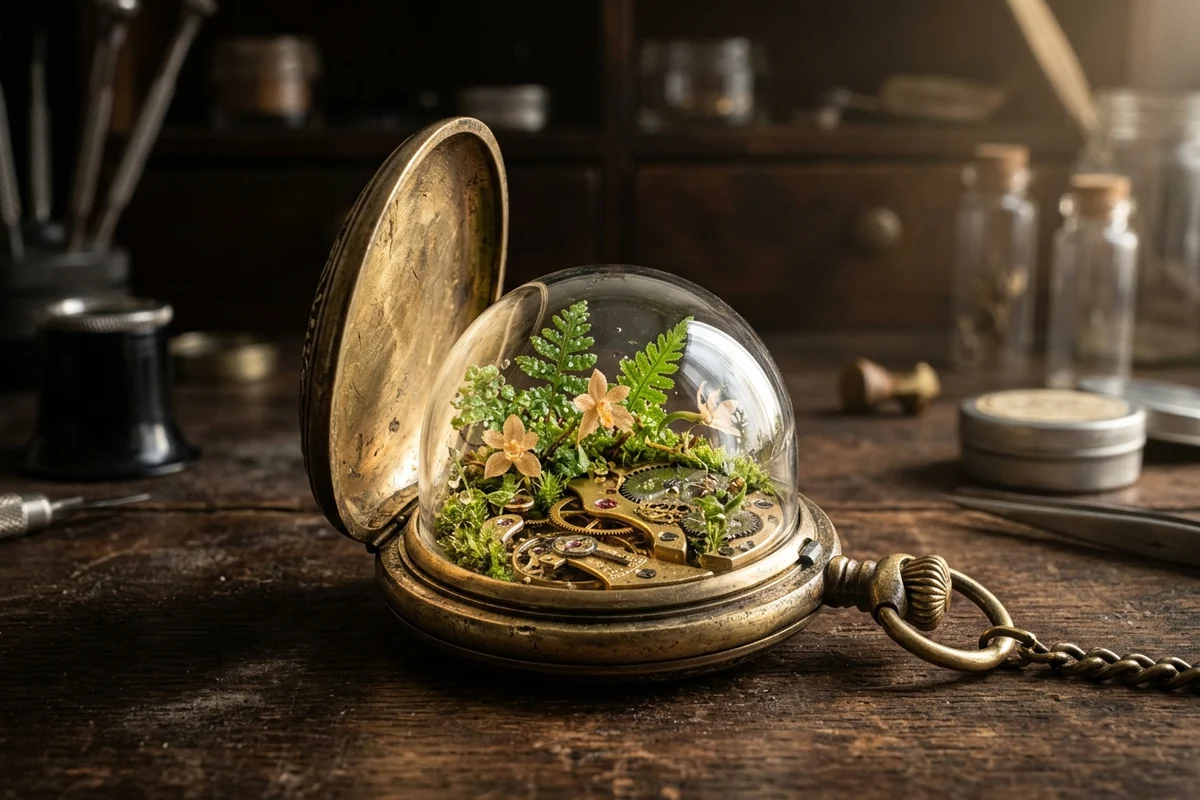
Describe an unusual idea and watch detailed lighting, textures, and depth come together in seconds. Ideal for concept art, editorial visuals, and campaign drafts without booking a shoot.
Generate and edit images in seconds with natural language. Great for quick concept drafts, social visuals, portraits, and everyday photo edits with consistent characters.
Please enter a description
Ready to Start Creating?
Select a mode, upload an image, or enter a description on the left, and let AI create amazing visual works for you
Create images from text, edit photos in plain English, and keep characters consistent, all in seconds.
Upload a photo and type what you want changed. Swap backgrounds, change outfits, fix lighting, or remove unwanted objects—no masks or manual selections needed.
Keep the same face, hairstyle, outfit, or product looking identical across different poses and scenes. Ideal for storyboards, avatars, and product sets.
Turn a text prompt into an image in seconds. Test different styles, angles, and layouts quickly before spending more time on your final shot.
Upload up to 10 photos in one prompt to combine a person, a product, and a scene. Give the model exact visual references instead of guessing with words.
Place a product or person from one photo into another background while keeping lighting, shadows, and perspective natural—not pasted on.
Switch any photo into anime, 3D figurine, oil painting, or cinematic film styles while keeping the main subject and composition intact.
See real ways creators use it for text-to-image art, prompt-based photo edits, and consistent character series.
Describe an unusual idea and watch detailed lighting, textures, and depth come together in seconds. Ideal for concept art, editorial visuals, and campaign drafts without booking a shoot.
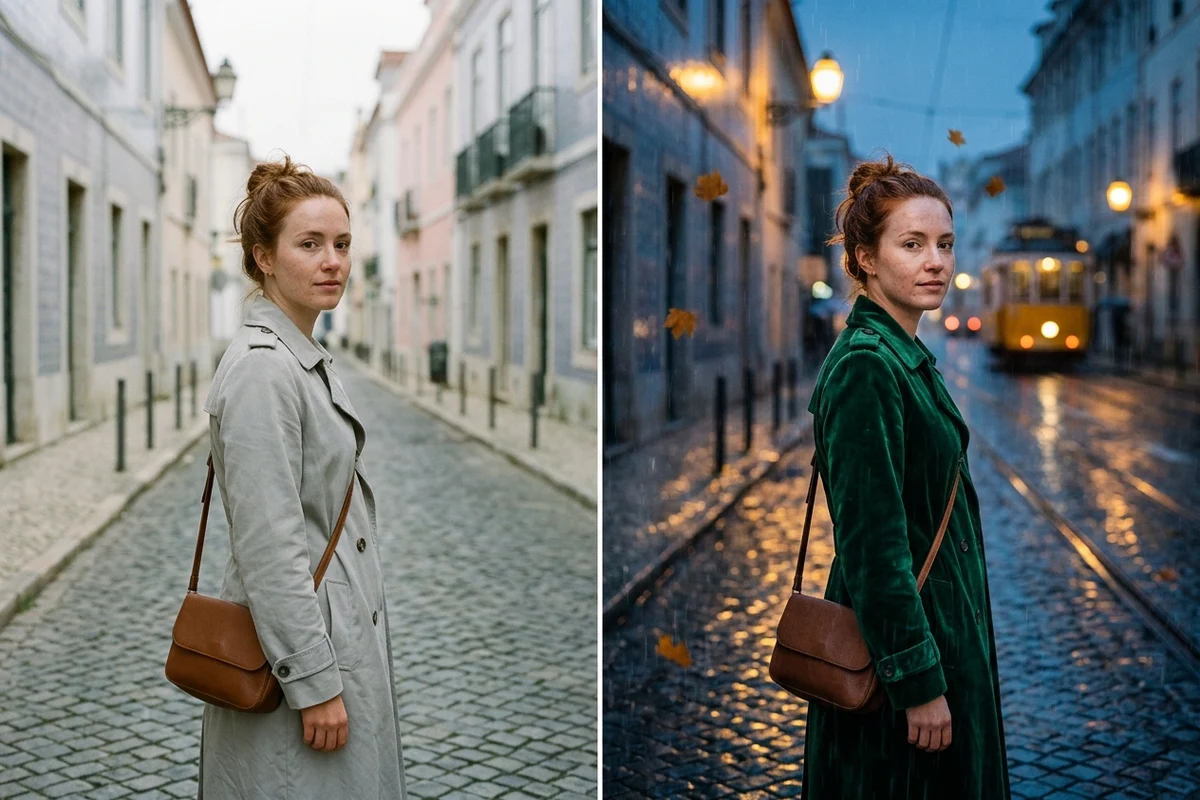
Upload a photo and type what you want changed. Switch outfits, turn overcast daylight into rain-lit twilight, swap backgrounds, or remove distractions while keeping the subject intact.
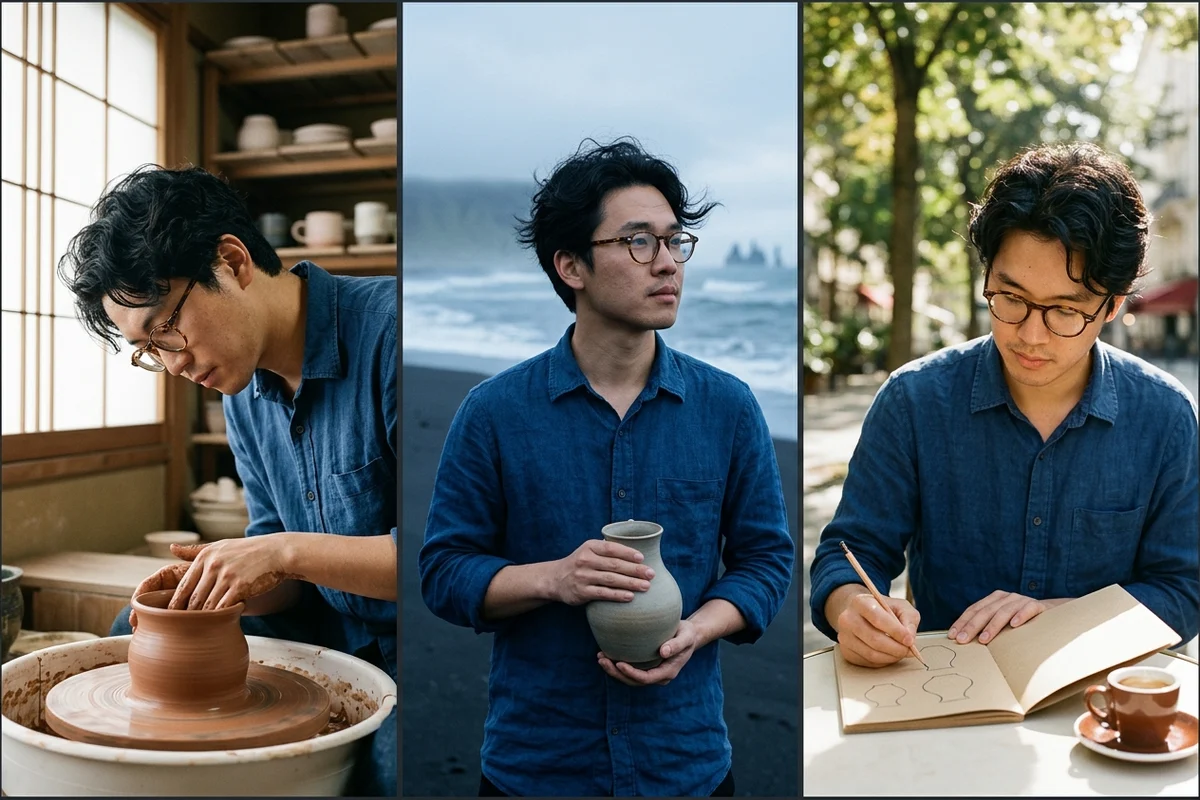
Keep the exact same face, styling, or product consistent across storyboards, lookbooks, and ad campaigns. Upload up to 10 reference photos so every shot feels part of the same world.
See the real differences in cost, speed, and output size so you know which model fits your task.
| Capability | Nano Banana Pro | Nano Banana |
|---|---|---|
| Credits per image | 12–25 credits (varies by resolution) | 4 credits per image (lowest cost) |
| Generation speed | Standard speed for detailed renders | Fastest generation, ready in seconds |
| Best for | 4K final assets, print layouts, and poster text | Quick drafts, social visuals, and everyday photo edits |
| Reference images | Up to 14 reference photos | Up to 10 reference photos |
| Output resolution | Choose 1K, 2K, or 4K | Standard fixed resolution |
| Text in images | Sharp headlines, labels, and small text | Best for short, simple text |
| Commercial use | Allowed for commercial projects | Allowed for commercial projects |
Credits per image
Generation speed
Best for
Reference images
Output resolution
Text in images
Commercial use
Go from a text prompt or reference photo to a finished image in your browser, with no downloads or editing skills needed.
Pick Text to Image or upload up to 10 photos to edit, then describe the scene, style, or change you want in plain English.
Hit Generate and see your image in seconds. Want a different pose, background, or lighting? Adjust a few words and run it again.
Save your finished image in one click, keep tweaking details with follow-up prompts, or switch to Pro whenever you need 4K output.
Quick answers on free access, editing features, credit rules, and picking the right version.
Nano Banana is a fast online AI image generator and photo editor. You can create new visuals from a text prompt or upload existing photos and edit them in plain English, all directly in your browser.
Yes. Create a free account and you get 20 credits right away with no credit card required, enough to generate or edit 5 images.
It handles both text-to-image generation and photo editing. You can create realistic portraits, product shots, illustrations, and anime styles, or upload a photo to swap backgrounds, change outfits, fix lighting, remove objects, and blend multiple images together.
Yes. You can upload up to 10 reference photos in a single prompt to keep the same face, hairstyle, outfit, or product looking consistent across different angles, poses, and scenes.
The original version is built for speed and low cost at 4 credits per image in a standard fixed size. Pro costs 12 to 25 credits, supports 1K, 2K, and 4K resolution, accepts up to 14 reference images, and renders sharper text. Use the original for drafts and quick edits, and Pro for final high-res files.
Try Nano Banana ProVersion 2 is newer and adds 1K to 4K output, up to 14 reference images, and more accurate text rendering. If you mainly want to test ideas quickly or run everyday photo edits at the lowest credit cost, the original model is still the best pick.
Try Nano Banana 2Every generation or edit costs 4 credits, making it the lowest-cost model on our site. If a job fails for any reason, your credits are refunded automatically.
No. This model outputs one fixed standard size to keep generation fast and affordable. Whenever you need selectable 2K or 4K output for print or large displays, switch to the Pro or 2.0 version.
Yes. Images you create or edit here can be used commercially for ads, online stores, social media campaigns, and client projects.
Turn a text prompt or photo into a finished image in seconds. Start free in your browser with no downloads and no credit card required.